
Question -
How do I configure an alias for one of my Nature and Purpose mappings?
Answer -
Alias' are configured in MediSpend UI as an alternative name for a particular Nature and Purpose mapping. Existing Alias values are stored within the mapping configuration. Client Admins are able to add/delete/update alias values in the Nature Purpose section of the tools menu shown below:
To Update the Alias Value
Navigate to Tools tab -> 'Nature and Purpose Configuration'
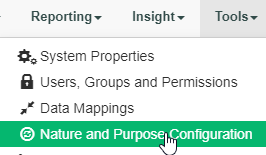
-Find the Nature/Purpose in question
Example = “In-kind Items or Services, Sunshine - Meals, Customer Visit”. Click the + to edit.
-In the Alias’ section, Click the + ADD ALIAS option
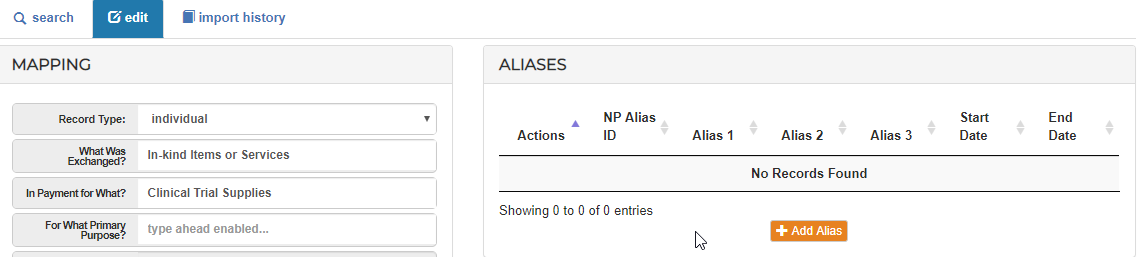
-If you have an existing Alias and you would like to edit it, simply select the pencil to the left of the entry to Edit the existing mapping value
-Future spend is created with this alias listed will automatically map to the expected Nature and Purpose mapping.
- Please Note that the Start Dates of your spend and the Start/End dates of your mappings are validated against one another. I.E, You can only use mappings which are listed as active for your spend date.
-Click add to save.
Comments
0 comments
Please sign in to leave a comment.