
Question -
I am looking to add Covered recipients to the system, how can I do this?
Answer -
Adding covered recipients can be done a few different ways in the system. The most commonly used is the manual +ADD option. To manually add a covered recipient:
1) Log into the Medispend Transparency Solution
2) Navigate to the 'Covered Recipients' drop down menu, select the +ADD option available in this menu
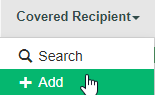
3) You will then be navigated to the editor page with empty fields for you to fill out.
4) Enter the data for each empty field which coincide with the covered recipient in question
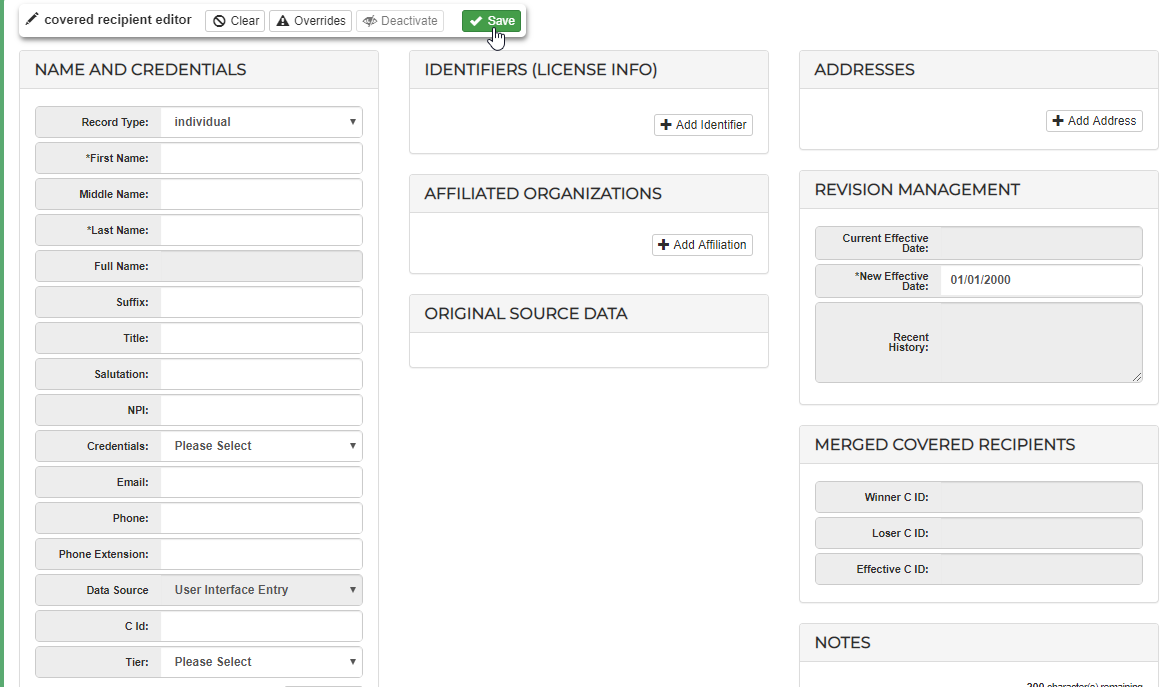
5) Save the CR Profile
*NOTE*
While Adding a CR Manually is the most frequently used method, you are also able to add and/or update covered recipients in-bulk through an ETL or a manual import through our support team.
An automated CR feed (ETL) needs to be planned out and addressed with your implementation or success manager. These are automated processes which will gather data provided through SFTP, then automatically import it per your scheduled frequency and mappings selections made in the planning process.
Importing Covered recipients as bulk additions or updates to existing covered recipients can also be completed using one of our Covered Recipient templates.
To get one of these templates and the guidance necessary to get CR data loaded in bulk, please reach out to support@medispend.com
Comments
0 comments
Please sign in to leave a comment.