
Question -
I am looking to submit my reports to state and federal reporting entities however I am getting an error telling me I am missing my 'reporting ID'.
Where is this information stored and how can I update it?
Answer-
The reporting ID is what is used to identify your organization to the reporting entity - such as CMS. This information is stored in the group/organization profile for your selected reporting group/company.
To view or edit your reporting ID:
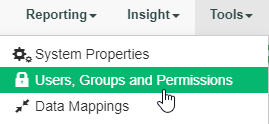
1) Navigate to the Tools tab and select 'User, Roles and Permissions'
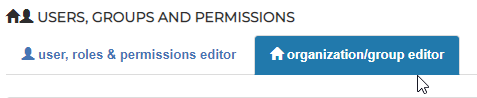
2) Click on the organization/group editor section to view your organizational structure and Identifiers.
3) Select 'view/edit' for the reporting group or company used when generating your reports.

4) In the edit Group/Company section you will note a field for MA Company ID and Reporting ID
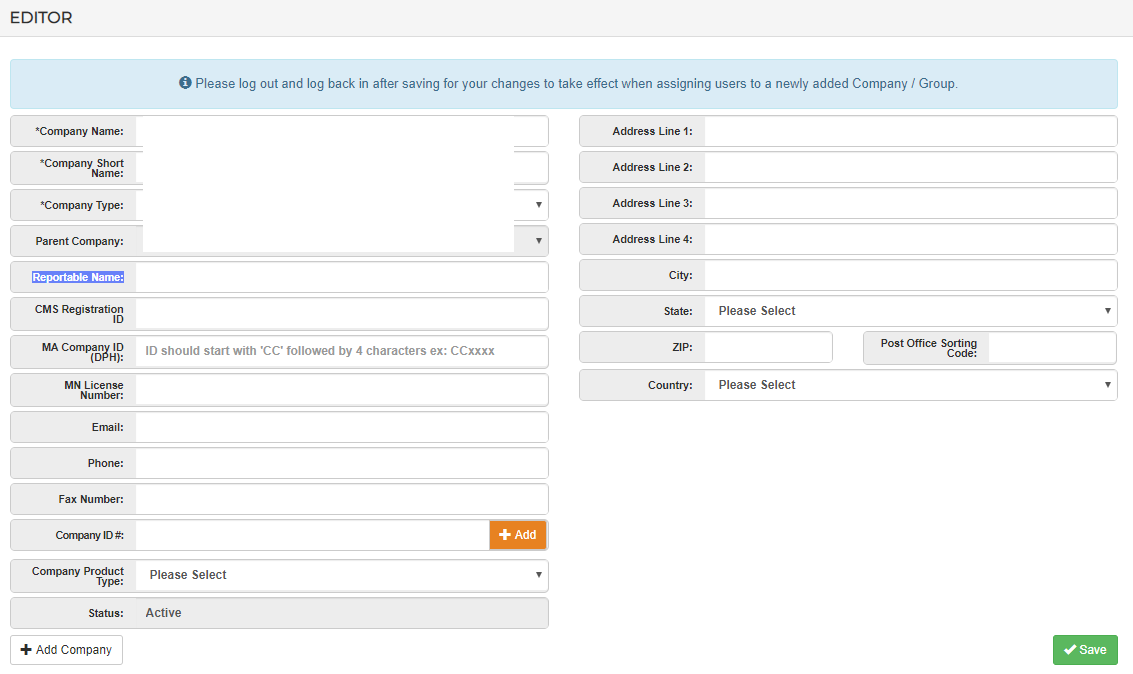
Here is where you can add the ID to the group profile. Once complete Save the edit to have it take effect. When generating your reports going forward, this Reporting ID will be associated properly.
Comments
0 comments
Please sign in to leave a comment.