
Question(s) -
I have a list of spend I need to update in the system. Is there a way I can update values in my records in bulk?
Answer -
You can update any value in your spend records manually or through a Spend Update import. Users configured with access to Spend Update functionality are able to create a two column(minimum) file and load it into the system to update all listed records simultaneously.
A two column file is sufficient to update a single spend value in the system. If you have multiple fields to update, simply provide them in the columns moving toward the right:
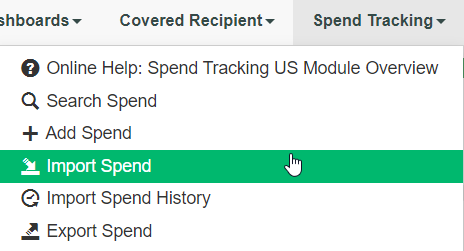
To perform your update. Navigate to Spend Tracking > Import Spend
Select your spend type, and the mode of import (update). IF you have any other changes to match the file configuration such as delimiters, skipped rows, etc, this is where you want to notate those:
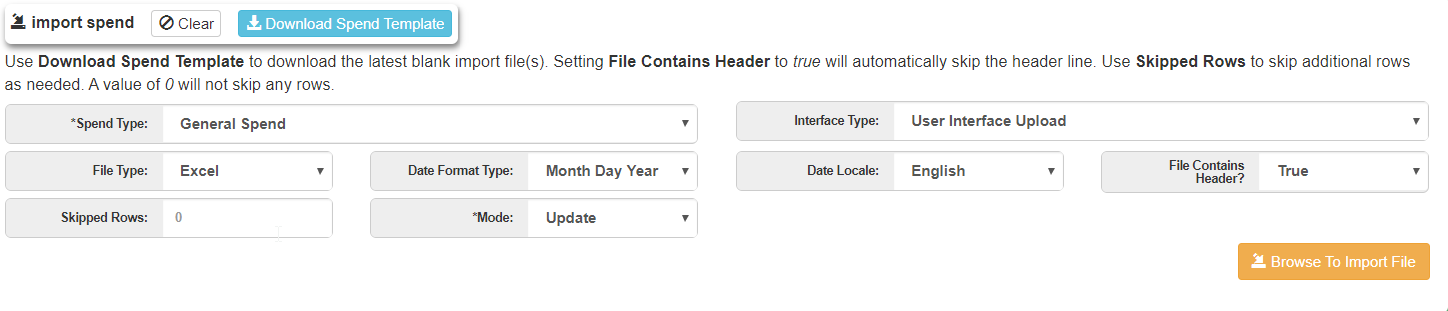
Once filled out, select the Browse to import file button and select your file. As long as your headers match the headers in Medispend - your values will map automatically. If you have misspelled the header and it does not match an existing field within the site, it will be necessary to manually map your values to the corresponding values in the system.
Comments
0 comments
Please sign in to leave a comment.